
Accounts and 2FA
Account pages are at DMOJ's URLs. An account imported from an existing DMOJ site keeps its password, its two-factor secret, its passkeys and its API token.
| Page | What it does |
|---|---|
/accounts/register/ | Username (letters, digits and underscores, 30 characters), email, password, timezone, preferred language and up to three open organisations. |
/accounts/activate/<key>/ | The activation link, good for seven days. Until it is used the account cannot sign in. |
/accounts/login/ | Username or email with a password, or the Passkey button, which signs you in outright. |
/accounts/login/2fa/ | The second factor: a six-digit code, a scratch code, or a passkey. |
/accounts/password/change/ | Changes a password you know, and signs out every other session. |
/accounts/password/reset/ | Sends a reset link, good once and for an hour. |
/accounts/email/change/ | The confirmation goes to the new address and is good for seven days; nothing changes until it is used, and the old address is warned. |
/accounts/api/token/generate/ | Mints an API token. |
/data/prepare/ | Builds an export of your submissions and comments, downloaded from /data/download/. One a day. |
A password must be at least 8 characters, not entirely numeric, not too similar to your username or email, and not one that has appeared in a breach. An existing password that turns up in a breach sends you to /accounts/password/change/ and nothing else is reachable until you change it. Sign-in, password resets, email changes and verification emails are limited to ten a minute each.
TIP
Outside production the activation link is also shown on /accounts/register/complete/, so a fresh install needs no mail server.
Two-factor authentication
/accounts/2fa/ holds a TOTP secret and any number of passkeys at once.
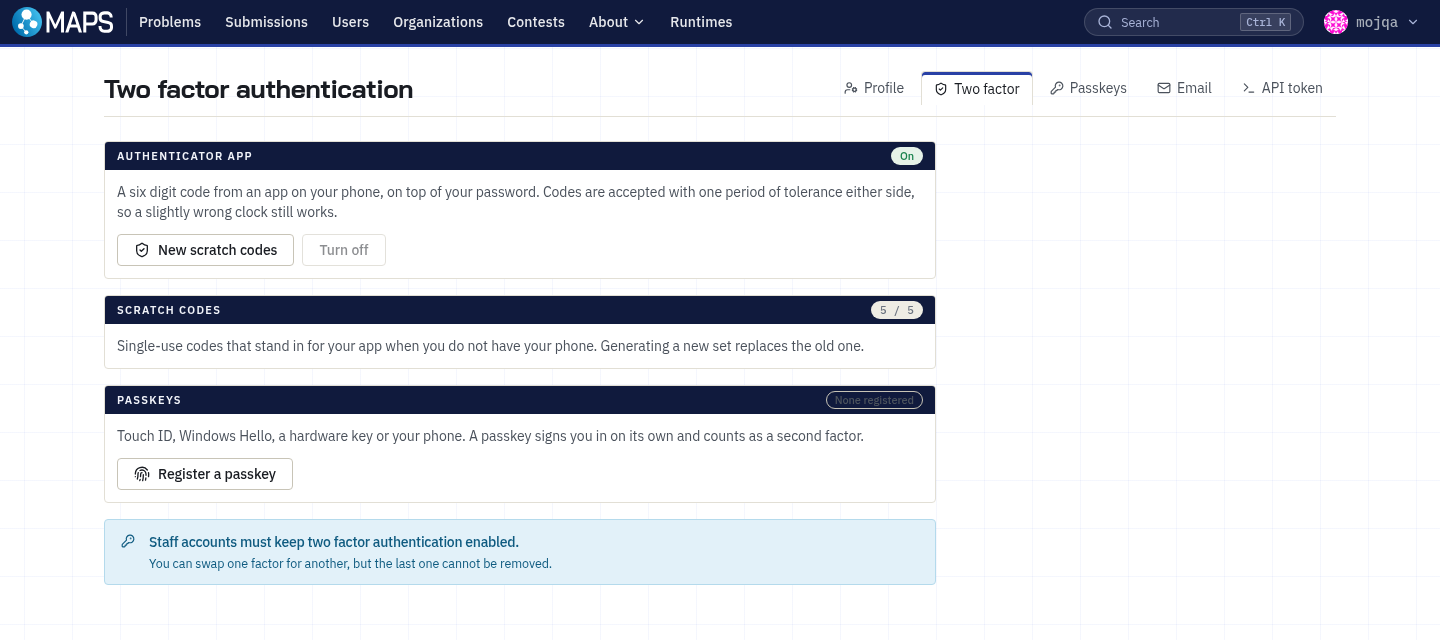
/accounts/2fa/enable/ enrols an authenticator app: confirm your password, scan the code, save the scratch codes. The account is not two-factor until a live code has been verified. Codes are six digits on a 30 second period with one period of tolerance either side, so codes that are consistently rejected mean the phone's clock is wrong. /accounts/2fa/disable/ asks for your password and a current or scratch code.
Five single-use scratch codes come with it, shown once. The page says how many are left and warns at one; /accounts/2fa/edit/ issues a fresh set of five and invalidates the old ones.
WARNING
Scratch codes are the only recovery path that does not involve a staff member. Keep them somewhere other than the phone with the authenticator on it.
/accounts/2fa/webauthn/attest/ registers and manages passkeys. A passkey is bound to the site's domain, so it does not work on a staging site at another hostname and moving the site to a new domain invalidates every passkey. Register more than one, or keep an authenticator app as well.
Staff must hold a second factor: every page redirects a staff member without one to /accounts/2fa/, and staff cannot remove their last factor.
API tokens
A token authenticates a script as you against the API. Tokens are 48 characters, sent as Authorization: Bearer <token>, and minted at /accounts/api/token/generate/ or, for staff, /admin/api-keys/.
| Scope | Grants |
|---|---|
read | Reading the API v2 endpoints, limited to what you can already see. |
problems:write | Publishing problems and test data. What a problem repository's CI needs. |
The token is shown once; only its hash is stored, and revoking one takes effect immediately. A token never has more access than its owner, so a staff member's token is a staff credential. A token imported from DMOJ keeps working while the site carries the old site's LEGACY_SECRET_KEY.