
Staff console
/admin/ is where everything that is not a user action happens. It needs the staff flag, and the staff flag needs two-factor authentication. Every section checks DMOJ's permission codes, so a setter with judge.edit_own_problem sees the problems section and only their own problems; controls they cannot use are not rendered.
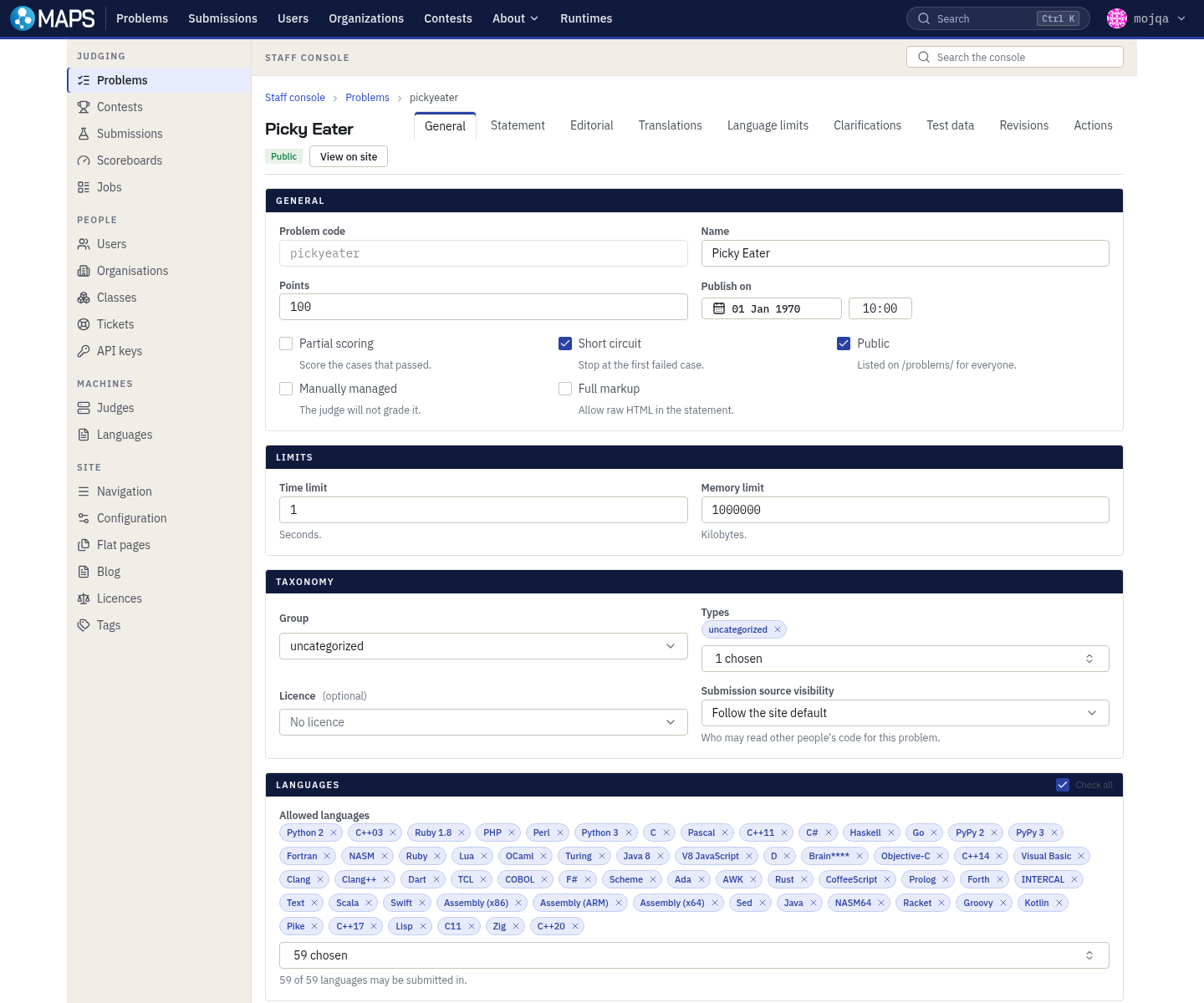
- Problems,
/admin/problems/— tabs for General, Statement, Editorial, Translations, Language limits, Clarifications, Test data, Revisions and Actions. Sets whatconfig.jsoncannot: group, types, allowed languages, per-language limits, licence, private organisations and source visibility. Actions holds rejudge, rescore, visibility and clone. - Contests,
/admin/contests/— tabs for General, Problems, People, Proctoring, Actions and Revisions. The Problems tab sets contest points, partial scoring, pretested flags, output prefix overrides, per-problem submission caps and the label scheme; reordering changes the labels. - Submissions,
/admin/submissions/— filter by user, problem, contest, judge, status, result, language and id range, then Batch rejudge the filter as one job. One problem at a time. - Scoreboards,
/admin/scoreboards/— hall scoreboard events: key, name, the contests that become divisions, theme, flag URL template, badge organisations, which means in person, freeze minutes, public or not. - Jobs,
/admin/jobs/— every background job with a live progress bar, the stage it reached, who started it and any error. The first place to look when a rejudge seems stuck. - Proctoring,
/admin/proctor/— live and finished sessions. See proctoring. - Users,
/admin/users/— tabs for Profile, Permissions, Account, API keys and History. Grants permissions, resets two-factor, revokes sessions and passkeys, bans and unbans. Superusers can impersonate. - Organizations,
/admin/organizations/— name, slug, short name, description, open to join, member slots, access code, logo, administrators. Only an organisation's own administrators may review its join requests. - Classes,
/admin/classes/— subdivisions of an organisation, so a contest can be restricted to one tutorial group. - Tickets,
/admin/tickets/— user reports about problems. Reassign, close or delete. - Judges,
/admin/judges/— status, tier, ping, load, problem count, runtimes, last seen, address. Creating one shows its key once. Disable stops work reaching it, Block rejects its calls, and Disconnect is picked up at its next heartbeat. - Languages,
/admin/languages/— key, name, short name, common name, extension, editor mode and highlighting. Copying one language's problem set onto another replaces the target's set. - API keys,
/admin/api-keys/— mints and revokes your own keys, and prints the base URL and a workflow snippet for a problem repository. - Navigation,
/admin/navigation/— the navigation bar as an ordered tree: label, path, highlight regex and parent. - Config,
/admin/config/— Site settings for identity, account rules, submission limits, points, ratings and page sizes; Misc config for DMOJ's key and value store. - Branding,
/admin/config/branding/— site name, wordmark, favicon, accent and nav colours, default theme and custom CSS, with a contrast-checked preview. Superusers only; an empty field restores the default. - Flat pages,
/admin/flatpages/— static pages such as/about/. - Blog,
/admin/blog/— posts with authors, publish time, visibility, sticky flag, summary and body. A future publish time schedules the post. - Licenses,
/admin/licenses/— the licences a problem can carry, shown at/license/<key>. - Tags,
/admin/tags/— contest tags with a name, colour and description.
A language existing here does not make it submittable: the submit page offers a language only when an online judge reports a runtime for it.
Revisions
Every edit writes a revision: a whole snapshot of the entity, who made it, when, and the reason typed into the reason field, which is not optional. Problems, contests, users and organisations show their history in the console, and on a problem or a contest the panel compares any two revisions field by field.
Revisions record staff edits, not user actions. A problem published through the API records the upload, not the statement's history; that is what the repository's git log is for.